Focus-aware
Calls, screen shares, presentations, and video players are treated as focus time. The reminder waits.
Gentle, focus-aware eye breaks that respect your attention. No account. No cloud. No guilt.
Most break timers interrupt the wrong moment. BlinkKind pays attention to what you are doing.
Calls, screen shares, presentations, and video players are treated as focus time. The reminder waits.
Stepped away for coffee? BlinkKind does not count it as a missed break or stack up reminders.
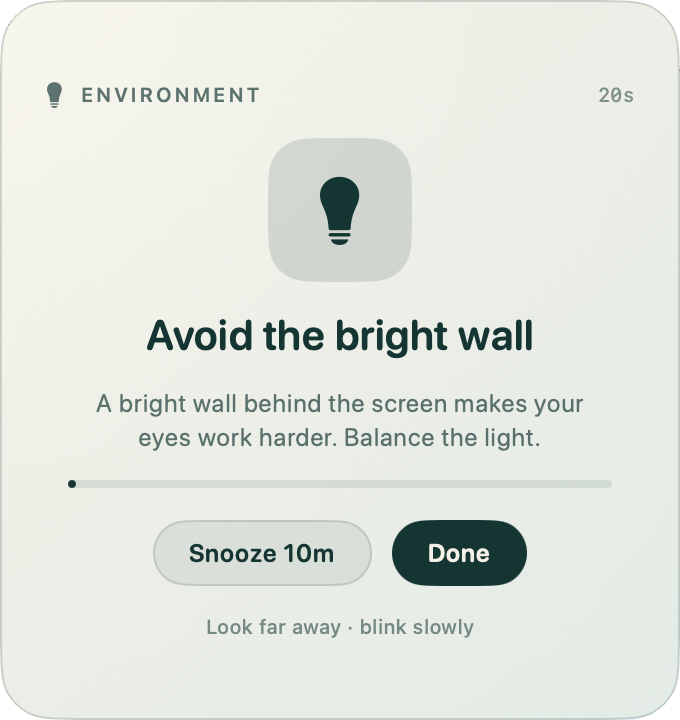
Every 20 minutes, look about 20 feet away for 20 seconds. The card counts down and disappears.
One calm card per screen, centered where you are looking. It never steals keyboard focus.
See the next break at a glance. Take one now, snooze ten minutes, or pause for an hour.
No account, no analytics, no network calls. Your settings and stats stay on this Mac.
BlinkKind is built for people who do not want another account, another subscription, or another app watching their screen.
Read the full privacy noteNo trial. No license key. No upsell. BlinkKind is a free tool by OperateQ.
Yes. No trial, no license key, no subscription, no ads. The source is MIT-licensed; the BlinkKind name and logo stay with OperateQ.
macOS 14 Sonoma or newer. The app is a universal build for Apple Silicon and Intel Macs.
No. When Zoom, Teams, Webex, FaceTime, Keynote, PowerPoint, or a known video player is frontmost, BlinkKind holds the reminder. You can also pause manually.
No. It reads the frontmost app through public AppKit APIs and idle time through CoreGraphics; neither requires the permission dialogs people dread.
Quit BlinkKind from the menu bar, turn off Launch at login, then drag the app to the Trash. Its local settings live in your user defaults and can be removed with defaults delete com.blinkkind.mac.
No. BlinkKind is a wellness reminder. If you have persistent eye pain, dryness, or vision changes, talk to an eye-care professional.